Peace For All – Re: Factor
摘要
文章讲述作者受到 T 恤上 Akamai 设计的「Peace For All」活动模糊代码启发,回忆过去从杂志抄代码的经历后,用 Raylib 绘制彩色心形动画。作者定义消息常量(无限循环)、字体大小、颜色,解决默认字体无心形问题后手动绘制心形,根据 tick 值用正弦波移动文字并在颜色范围内渐变颜色,定义每 tick 渲染函数按行绘制字符,最后用简单循环打开窗口、增 tick 并渲染每帧,效果不错,代码在 GitHub 公开。
荐读理由
用 Raylib + Factor 画心形心跳波浪动画,循环窗口渲染,每帧按 tick 算 sine 横移+颜色,省掉手动拼代码
原文
Peace For All
Wednesday, July 8, 2026
I am perhaps susceptible to nerd-sniping and it often leads me down interesting rabbit holes. Today was one of those days. I bumped into a fun article about some obfuscated bash code on a T-shirt for sale:
The obfuscated code in question is actually an easter egg, it’s being supplied via Uniqlo stores on an excellent t-shirt designed by Akamai in support of their Peace for All campaign.
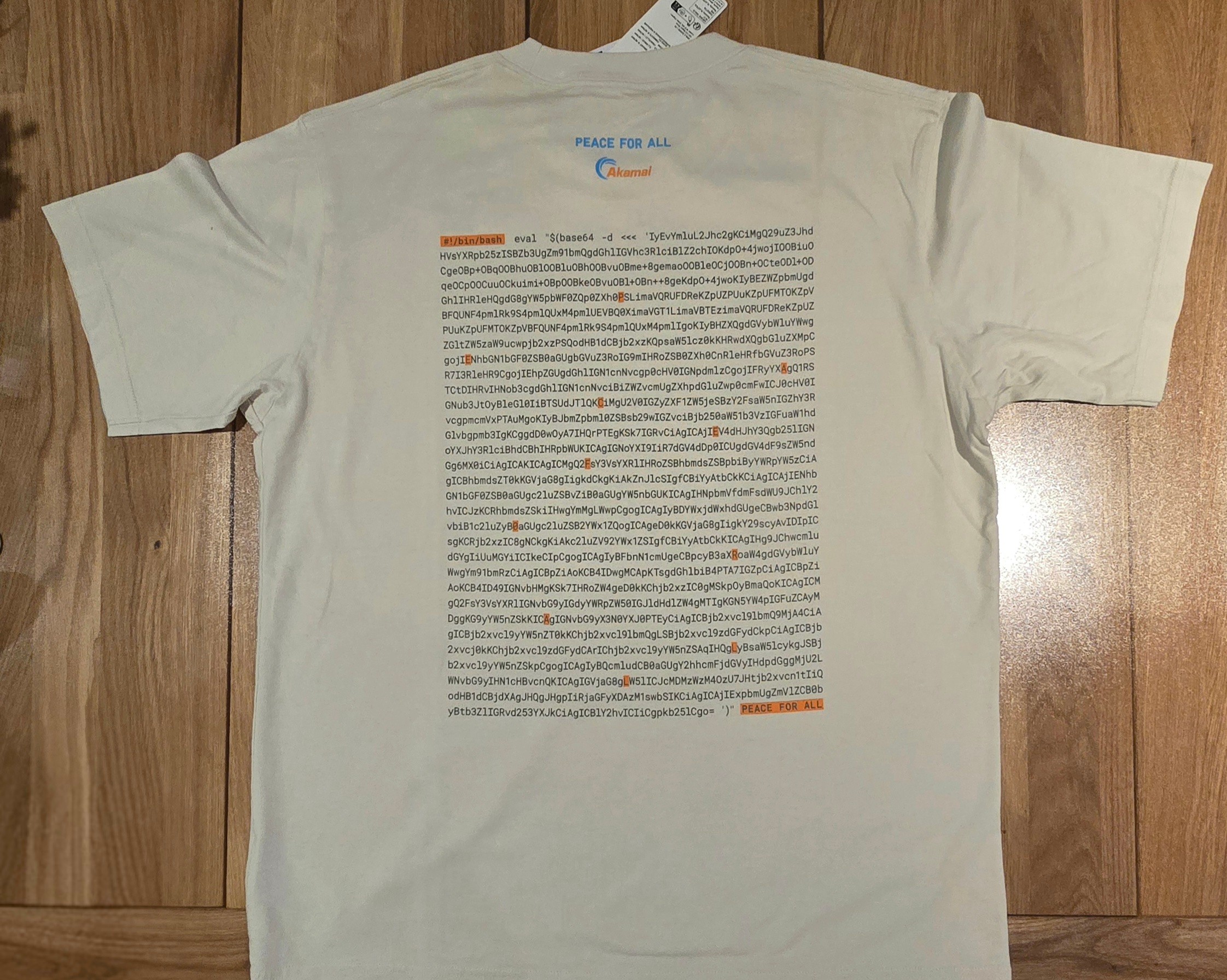
While reading about the author’s use of OCR to convert the printed text into a string that they could compute base64 --decode on to see the resulting program, I had major nostalgia for carefully typing programs from computer magazines so they could be run locally – the only option for us kids at the time.
Raylib can be a great tool for doing colorful animations and is pretty well supported by Factor. I thought it would be fun to show how to write a similar program using it!
First, we define some constants for our message (infinitely looping using a circular sequence), font sizes, text colors, and then a computed number of visible text rows:
CONSTANT: message $[ "♥PEACE♥FOR♥ALL" <circular> ]

CONSTANT: width 800
CONSTANT: height 600
CONSTANT: font-size 24
CONSTANT: freq 0.2

! colors move from cyan to orange
CONSTANT: color-start S{ Color f 0 255 255 255 }
CONSTANT: color-end S{ Color f 255 135 0 255 }

: rows ( -- n ) height font-size /i ;
The default font doesn’t include a heart glyph, so we need to be able to manually draw one:
:: draw-heart ( x y color -- )
    font-size :> s
    x s 0.30 * + >integer y s 0.32 * + >integer s 0.22 * color draw-circle
    x s 0.70 * + >integer y s 0.32 * + >integer s 0.22 * color draw-circle
    x s 0.50 * + y s 0.95 * + <Vector2>
    x s 0.92 * + y s 0.42 * + <Vector2>
    x s 0.08 * + y s 0.42 * + <Vector2>
    color draw-triangle ;
Otherwise, we draw our character as a function of a “tick”, moving horizontally in x according to a sine wave, and changing colors within our color range:
: wave-x ( tick -- x )
    freq * sin width 4 /i * width 2 /i +
    round >integer 0 width font-size - clamp ;

: wave-color ( tick -- color )
    [ color-start color-end ] dip rows mod rows /f color-lerp ;

:: draw-glyph ( tick row -- )
    tick wave-x :> x
    row font-size * :> y
    tick message nth :> ch
    tick wave-color :> color
    ch CHAR: ♥ = [
        x y glyph color draw-heart
    ] [
        ch 1string x y font-size color draw-text
    ] if ;
We can now define a rendering function that we use each tick, that draws a glyph on each row:
: render ( tick -- )
    begin-drawing
    BLACK clear-background
    rows <iota> [ [ + ] keep draw-glyph ] with each
    end-drawing ;
And then a simple loop where we open a window, and increment the tick and render each frame:
: open-peace-window ( -- )
    width height "♥ PEACE FOR ALL ♥" init-window
    30 set-target-fps ;

: peace-for-all ( -- )
    open-peace-window 0
    [ window-should-close ] [ [ 1 + ] [ render ] bi ] until
    drop close-window ;
It looks pretty good!
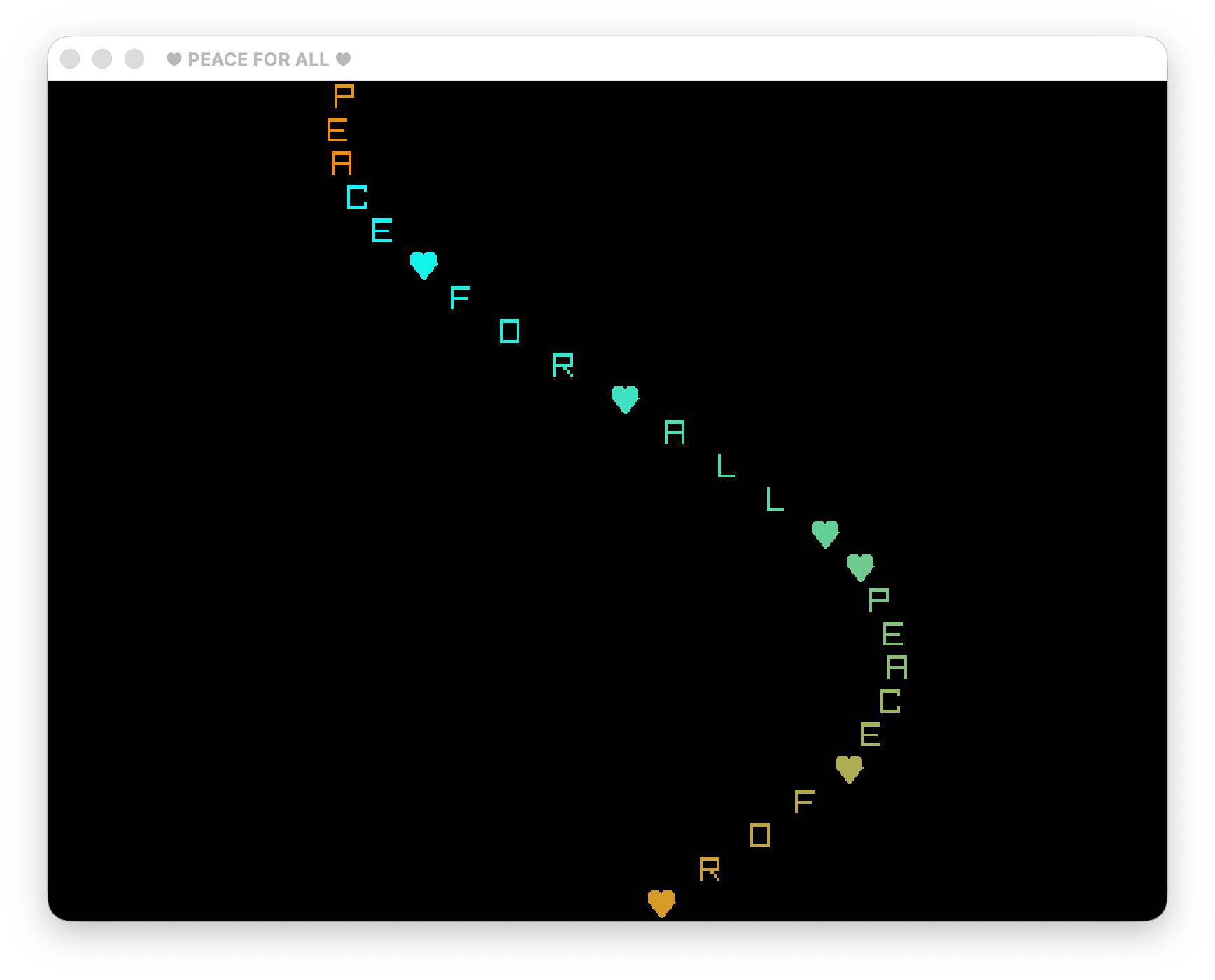
The code for this is on my GitHub.
这条对你有帮助吗?