Tools for running VMs on apple silicon macs
摘要
介绍了三款基于 macOS 原生虚拟化框架的工具:Viable 用于创建和运行 macOS 虚拟机,支持自定义核心数、内存及 iCloud Drive(macOS 15);ViableS 为研究提供沙盒隔离版本;Vimy 实现双击即开的极简运行体验;Liviable 则支持 GUI 模式的 Linux 虚拟机,并允许通过 Rosetta 2 运行 Intel 指令集程序。
荐读理由
你能直接用 Viable 创建 macOS VM 并设置 vCPU、内存、共享文件夹和多 Machine ID,Liviable 则支持 Linux VM 带 virtiofs 共享文件夹和 Rosetta 2,适合在 Apple Silicon Mac 上搭建隔离测试环境。
原文
Viable – create and run macOS virtual machines on Apple silicon Macs


Takes an IPSW image, available from Apple or downloaded in the app, and creates a virtual machine from it. Runs those virtual machines using your settings for the number or cores (vCPU threads), memory, display resolution, shared folders (macOS 13) and iCloud Drive (macOS 15). Supports HiDPI for crisp images on Retina displays and Sonoma’s autoscaling. Lets you create multiple VMs with set Machine IDs for testing purposes. Runs up to two VMs at a time. Uses macOS lightweight virtualisation, so only provides limited Apple Account support in Sequoia. Beta 12 fixes a bug when restoring a minimised window. Viable beta 12 (1.0.12) (Apple silicon only app for Monterey, Ventura, Sonoma and Sequoia)
 ViableS is a sandboxed and locked-down version, which doesn’t share folders or the clipboard with the host, and is ideal for research. This new version fixes a bug when restoring a minimised window..
[ViableS beta 12 (1.0.12) (Apple silicon only app for Monterey, Ventura, Sonoma and Sequoia)](https://eclecticlight.co/wp-content/uploads/2023/11/viables1b12.zip)
ViableS is a sandboxed and locked-down version, which doesn’t share folders or the clipboard with the host, and is ideal for research. This new version fixes a bug when restoring a minimised window..
[ViableS beta 12 (1.0.12) (Apple silicon only app for Monterey, Ventura, Sonoma and Sequoia)](https://eclecticlight.co/wp-content/uploads/2023/11/viables1b12.zip)Vimy – double-click to run macOS virtual machines on Apple silicon Macs
The ultimate lightweight utility for running macOS VMs. Just double-click a VM and it opens using its saved settings. Typically uses around 35 MB of memory, plus that allocated to the VM. Settings and its bundle format are written by Viable 1.0.9 and later. It has no interface apart from its Open command. Fourth beta fixes a bug when restoring a minimised window. Vimy 0.7 (fourth beta) (Apple silicon only app for Monterey, Ventura, Sonoma and Sequoia)
Liviable – create and run Linux virtual machines on Apple silicon Macs
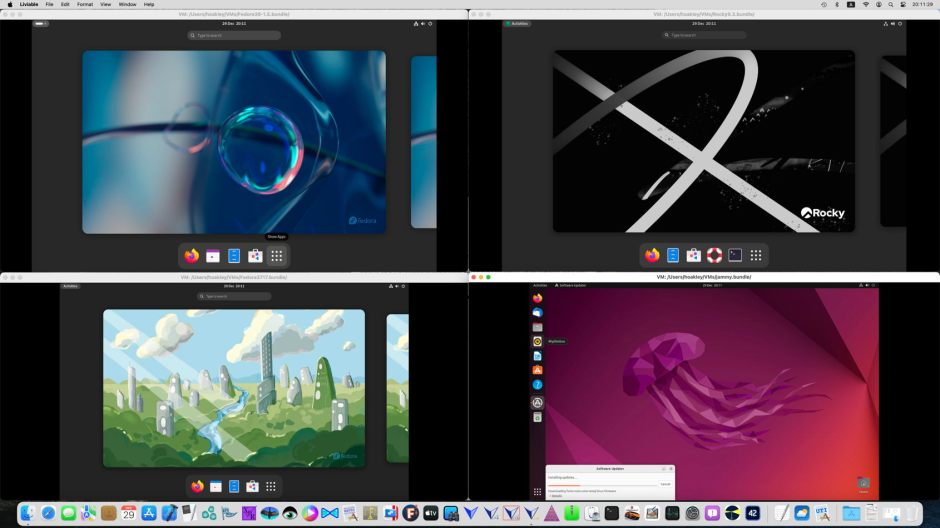
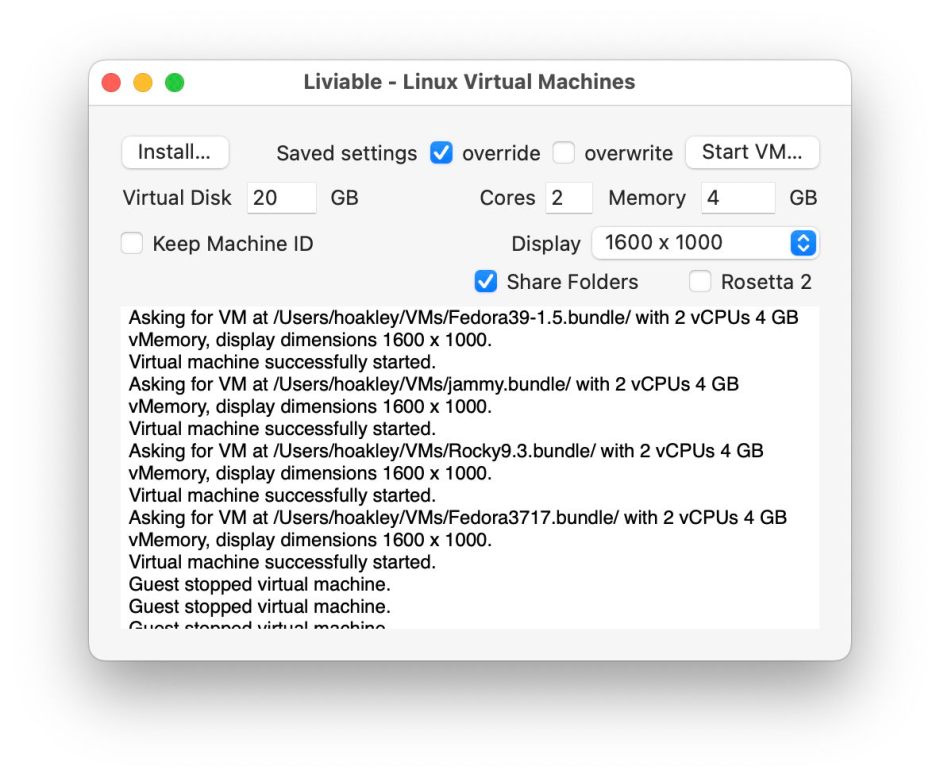 Takes a bootable ISO installer distro and creates a GUI virtual machine from it. Runs those virtual machines using your settings for the number of cores (vCPU threads), memory, and display resolution. Lets you create multiple VMs with set Machine IDs for testing purposes. Runs as many VMs as your Mac can support using macOS lightweight virtualisation, shares folders with the host Mac, and supports Rosetta 2 to run Intel binaries in the VM. Update fixes two bugs, improves menus and has a new Help book.
[Liviable beta 5 (1.0.5) (Apple silicon only app for Ventura and Sonoma)](https://eclecticlight.co/wp-content/uploads/2024/01/liviable1b5.zip)
Takes a bootable ISO installer distro and creates a GUI virtual machine from it. Runs those virtual machines using your settings for the number of cores (vCPU threads), memory, and display resolution. Lets you create multiple VMs with set Machine IDs for testing purposes. Runs as many VMs as your Mac can support using macOS lightweight virtualisation, shares folders with the host Mac, and supports Rosetta 2 to run Intel binaries in the VM. Update fixes two bugs, improves menus and has a new Help book.
[Liviable beta 5 (1.0.5) (Apple silicon only app for Ventura and Sonoma)](https://eclecticlight.co/wp-content/uploads/2024/01/liviable1b5.zip)Recommended Linux distros
Debian (11.4.0, 11.5.0) 12.4.0
Fedora Workstation Live (36-1.5, 37-1.7) 39-1.5
Gentoo 20231224
Kali 2023.4
Rocky (9.0, 9.1) 9.3
Ubuntu Jammy Jellyfish 22.04.3.
Example Linux commands for Liviable 1.0b4
Mount standard shared folders:
mkdir /tmp/mountpoint sudo mount -t virtiofs macdir /tmp/mountpoint ls /tmp/mountpoint
Mount and enable Rosetta 2:
sudo /usr/bin/apt-get install binfmt-support mkdir /tmp/mountpoint sudo mount -t virtiofs rosdir /tmp/mountpoint sudo /usr/sbin/update-binfmts --install rosetta /tmp/mountpoint/rosetta \ --magic "\x7fELF\x02\x01\x01\x00\x00\x00\x00\x00\x00\x00\x00\x00\x02\x00\x3e\x00" \ --mask "\xff\xff\xff\xff\xff\xfe\xfe\x00\xff\xff\xff\xff\xff\xff\xff\xff\xfe\xff\xff\xff" \ --credentials yes --preserve no --fix-binary yes
Articles
macOS virtualisation is leaping forward in Golden Gate Virtualisation on Apple silicon Macs is different How fast is a macOS VM, and how small could it be? Does disk storage speed limit macOS virtual machines? How to open a suspicious document or app What’s in that phishing email? macOS virtual machines and audio-video syncing Early bugs in macOS Tahoe 26.1: VMs and Finder Services Has macOS virtualisation ground to a halt? Virtualising macOS 26 Tahoe How to migrate macOS virtual machines macOS Tahoe brings a new disk image format Should you use Tahoe’s new ASIF disk images? The perils of virtualisation on M4 Macs Apple silicon VMs struggle to update to Sequoia 15.4 What can you do with virtualised macOS on Apple silicon? Create and use virtual machines on Apple silicon Macs How disk images can become sparse files Inside M4 chips: P cores hosting a VM Sequoia VMs can cause kernel panics Sequoia, virtualisation and Apple ID How Sequoia changes virtualisation on Apple silicon Securing virtual machines on Apple silicon Did Apple forget its own App Store? – in Apple silicon VMs Something for the weekend? – virtualisation in Sequoia First details of macOS 15 Sequoia bringing support for Apple ID, iCloud, and (on M3 Macs) nested virtualisation Summary of macOS VM performance on Apple silicon Macs Why are Apple silicon VMs so different? How virtualisation came to Apple silicon Macs Why macOS 14.2 & 14.2.1 VMs lose shared folders, and how to work around it Don’t update macOS VMs to 14.2 or 14.2.1 if you use shared folders When macOS won’t work with the App Store Current limitations on macOS virtual machines running on Apple silicon Macs What you can do with lightweight VM Shared Folders, and what you can’t What happens when you run a macOS VM on Apple silicon? Evaluating M3 Pro CPU cores: 3 Special CPU modes How does macOS manage virtual cores on Apple silicon? How good is GPU access for Apple silicon virtual machines? How to convert PostScript and EPS files in Sonoma in a VM (Apple silicon) How to build a custom macOS VM on Apple silicon Enhance your macOS VMs with Apple Remote Desktop What works in virtualising macOS on Apple silicon, and what doesn’t Keyboard layouts in lightweight virtualisation Bridged networking comes to new versions of Viable, Vimy and ViableS VoiceOver and VMs 1 How well does it work? 2 How does it work? 3 Configuration, VM and boot 4 Core allocation in VMs 5 Hypervisors and virtualisation 6 Support limits 7 Improving the virtual display 8 How Apple limits VMs 9 Monterey’s limitations 10 Which app? 11 Machine identities 12 Installing Linux is different Lightweight virtualisation in Ventura Can you game core allocation on Apple silicon? Disk performance of lightweight macOS VMs on Apple silicon The mobile virtual Mac
How virtualization is important to the future of macOS Explainer: Pixel density and display resolution
Liviable version 1.0.5 (beta 5) Virtualise Linux on Apple silicon with Liviable beta 4 Viable, ViableS and Vimy updates to fix a bug Run a macOS VM on Apple silicon from a double-click with Vimy macOS virtualisation on Apple silicon: major changes in Viable beta 9 Virtualising macOS on Apple silicon Macs: Viable beta 8 How to run a macOS beta on Apple silicon Using a Mac without a network connection macOS virtualisation refactored and sandboxed in Viable updates Liviable now shares folders in Linux VMs, and should support Rosetta 2 Lightweight virtualisation of GUI Linux on Ventura Second beta of Viable for virtualising macOS on Apple silicon Macs Introducing Viable, to virtualise macOS on Apple silicon Macs
这条对你有帮助吗?