Toggles Considered Harmful
摘要
作者借 macOS 一个用四种灰色显示布尔开关的对话框,批评这类开关控件本身设计不佳、根本不该存在。他推测开关源于 iOS 取代复选框,因触屏上更直观、触控面积大且像物理开关;但物理开关因对称性也需要标签和指示灯辅助,数字开关同样无法仅凭外观判断开或关。作者认为 Apple 试图让状态更明显反而造成混乱,最直接的解决办法是改用状态一目了然的控件。文末附有作者书籍《Designed for Use》第二版的推广信息。
荐读理由
做界面时直接避开开关控件,改用状态一目了然的控件,省得用户猜开关方向
原文
Toggles Considered Harmful
I just read this post from Marcin Wichary's Unsung, where he points out a peculiar macOS dialog box that shows boolean toggles in four different shades of grey:
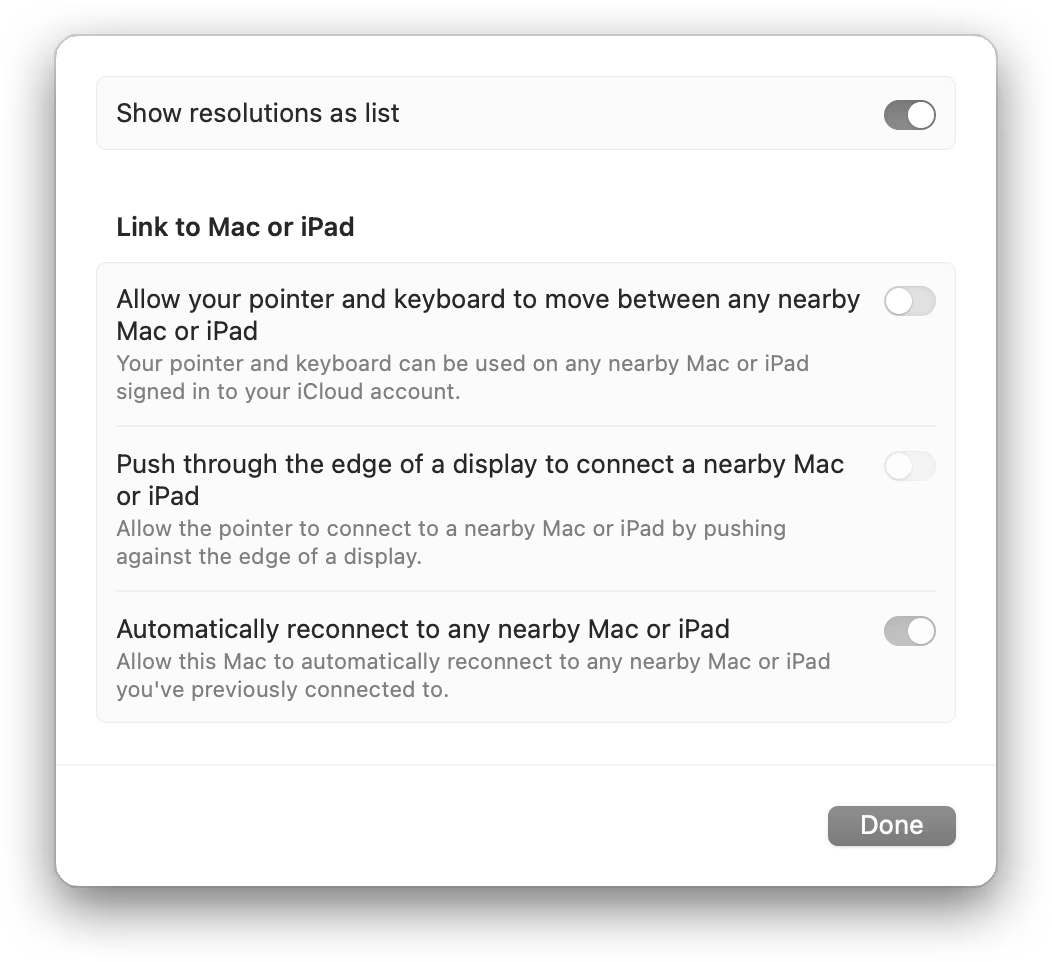
Marcin offers some improvements, but the actual problem is fundamental to macOS: these types of toggles are bad UI controls and should simply not exist.
I think toggles originated on iOS, where they replaced checkboxes. I suspect the reason is that they feel more tactile on a touchscreen, have a larger touch target, and resemble physical switches - Apple's original UI design approach for iOS valued this kind of skeuomorphism.
Toggles make sense in the real, physical world because of their mechanical properties. But even there, they need additional affordances to work. For example, this power strip has a toggle switch to turn it on and off:
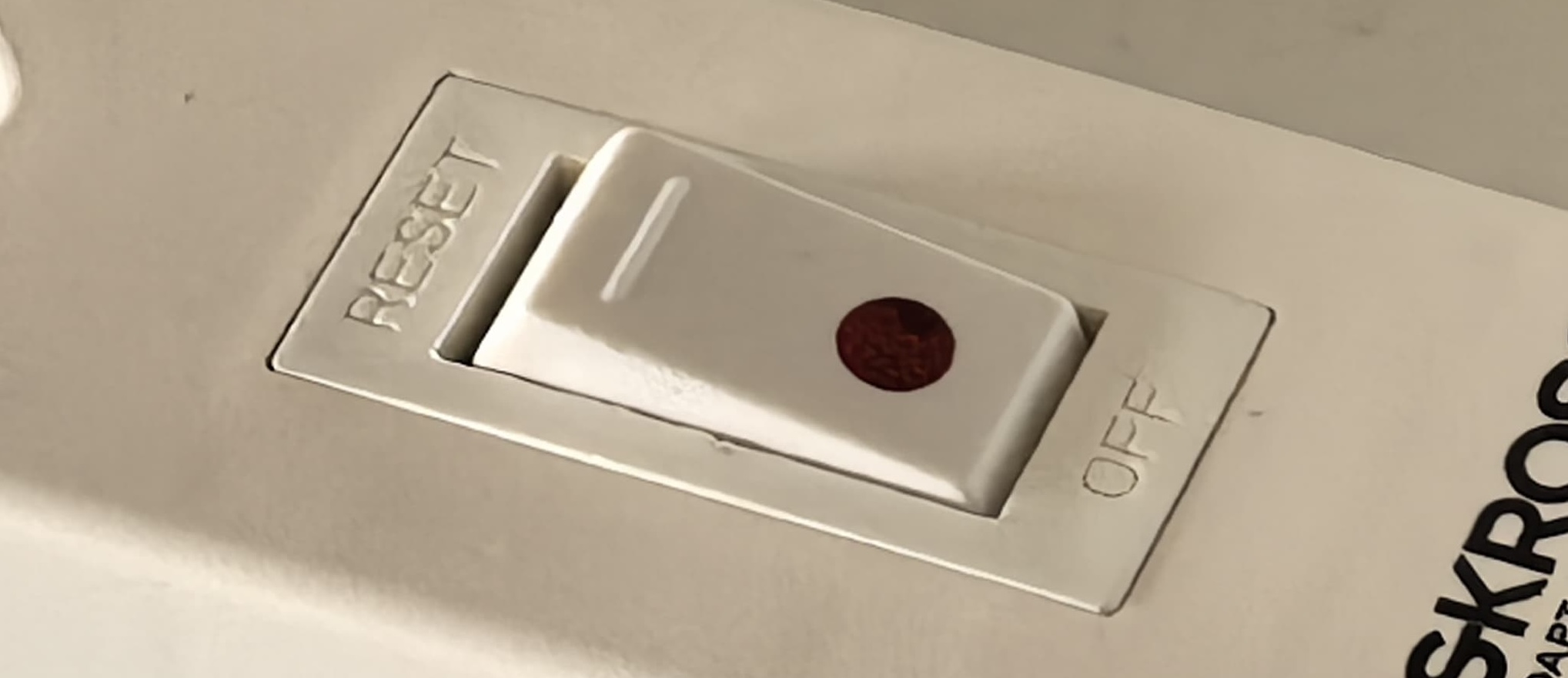
Note that there are labels for each state, and a light to indicate the current state. That's because the toggle itself is symmetrical. There is no obvious way to tell whether it is on or off.
Now let's go back to the digital toggle:

Is this toggle on or off? If you don't already know that "left" means "off" and "right" means "on", you have absolutely no way to tell.
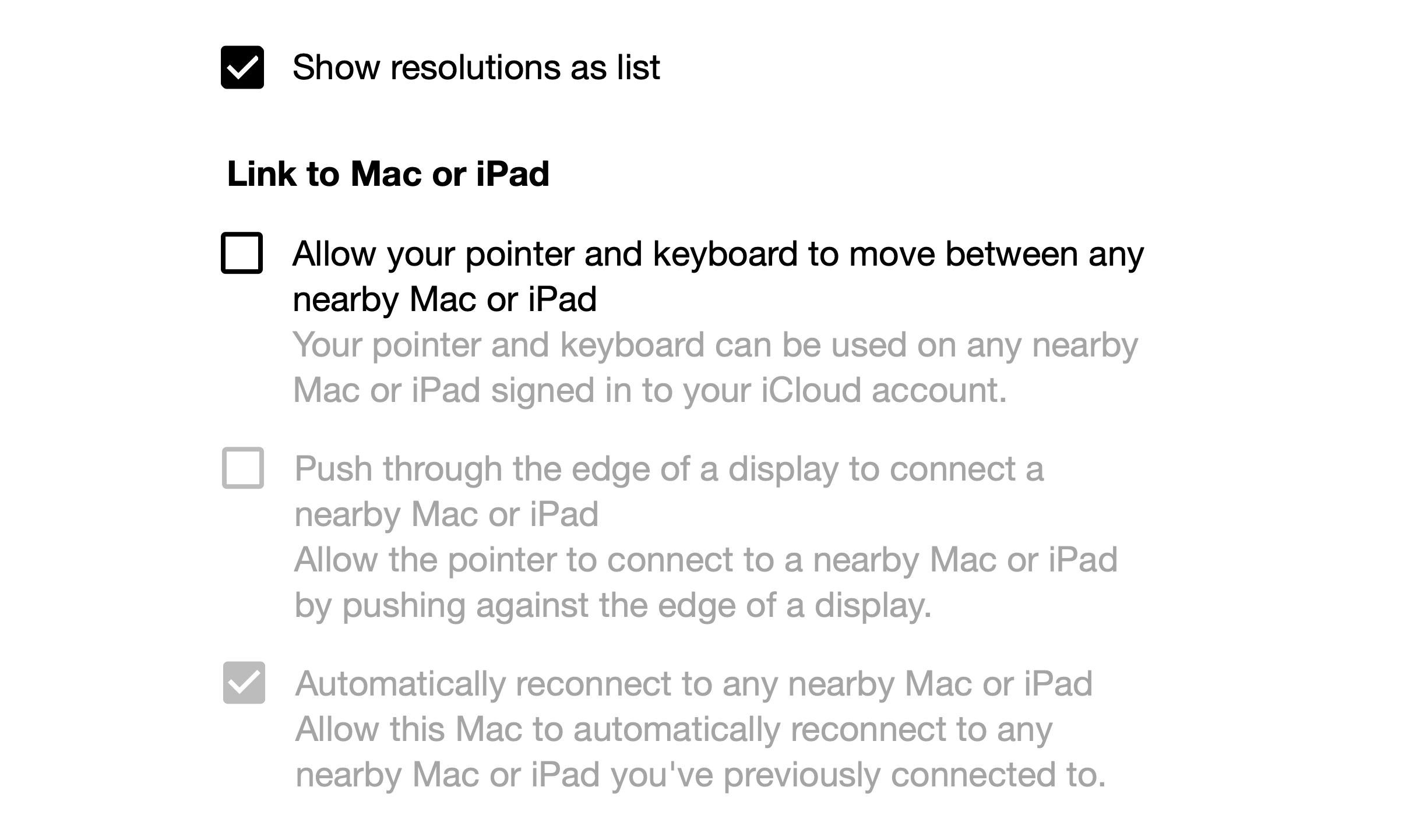
Apple's attempts to make toggle states more obvious ultimately created the confusing situation in the original screenshot. Therefore, the most expedient solution to the original UI problem is simply to use a control whose state is obvious.
If you require a short url to link to this article, please use https://ignco.de/818

But wait, there's more!
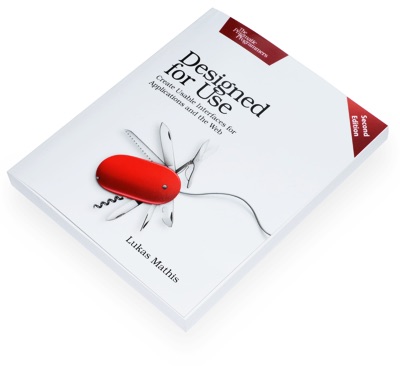
Want to read more like this? Buy my book's second edition! Designed for Use: Create Usable Interfaces for Applications and the Web is now available DRM-free directly from The Pragmatic Programmers. Or you can get it on Amazon, where it's also available in Chinese and Japanese.
这条对你有帮助吗?