Introducing the MDN MCP server
摘要
文章介绍了 MDN MCP server 的发布背景与用途。MCP(Model Context Protocol)是一种开放标准,用于让 AI 工具连接外部数据源;MDN 通过该 server 将自身文档与浏览器兼容性数据提供给 AI agent 或 IDE,避免模型因训练数据过期而给出错误的 Web 平台信息。该服务目前处于实验阶段,可在 VS Code、Zed、Cursor,以及 Claude Code、Codex CLI、Claude Desktop 等 MCP 兼容工具中使用。 文章还展示了在多个 Web API 与 CSS 特性问题上的对比测试,包括 light-dark ()、:buffering、shadowrootslotassignment 以及 Web Serial API。结果显示,使用 MCP 时,AI 在浏览器支持信息上明显更准确,并能给出更完整结构化的说明;未使用 MCP 时则出现兼容性误判或信息缺失,例如错误判断 Firefox 支持情况或缺少具体支持表。同时,使用 MCP 的响应速度也更快,因为无需自行抓取和解析网页。 文章最后提到该项目仍在早期阶段,欢迎开发者反馈使用问题,并通过 Discord 或 GitHub 提交建议,未来会继续推动 MDN 在 AI 开发工作流中的可用性。
荐读理由
MDN MCP server 直接接入 Claude Code 等 MCP 客户端,能让 AI 工程工作流实时拉取 MDN 文档和浏览器兼容数据,避免训练数据过时或训练后知识截止问题。测试显示加 MCP 的 Claude Code Opus 4.7 在 Web Serial API、light-dark() CSS 等 Firefox 151 新特性上,浏览器支持回答准确率从 25% 提升到 100%,结构更完整且响应快一倍,能直接迁移到你的 AI 工具集成和 web dev 工程中。
原文
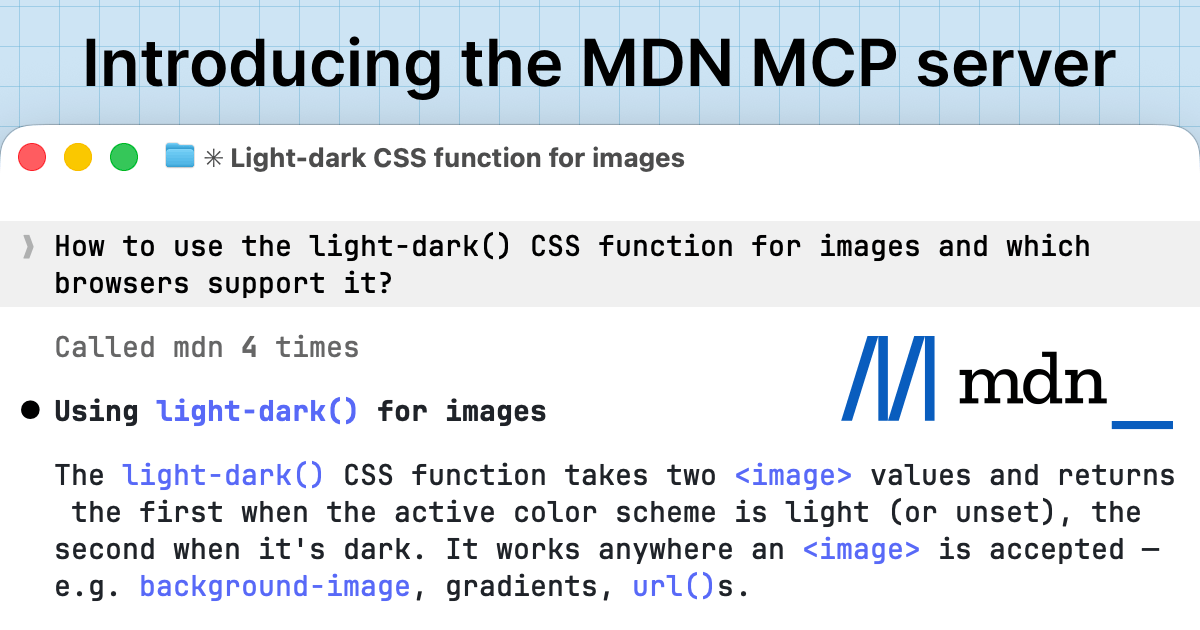
Introducing the MDN MCP server
 The MDN Team June 15, 2026 4 minutes read
We're excited to announce the release of the MDN MCP server. MCP (Model Context Protocol) is an open standard that enables AI tools to connect to external data sources. The MDN MCP server uses this protocol to bring MDN's documentation and browser compatibility data directly into your AI agent or IDE.
Why we built the MDN MCP
More and more AI tools are being integrated into web development workflows, but they can surface outdated web platform information based on their training data and knowledge cutoff.
For example, an LLM or coding agent may not know that a feature like @view-transition CSS at-rule exists, or whether it has reached "Widely Available" baseline and is safe to use across browsers.
The MDN MCP gives your coding agent access to accurate, up-to-date web platform information. It also makes it easier for you to access the latest documentation without leaving your preferred tools.
The server is currently experimental. See our privacy notice for details about data handling during this phase.
How to use the MDN MCP
The MDN MCP server works with any MCP-compatible client, including:
Agent CLIs: Claude Code, Codex CLI, and Antigravity CLI (previously Gemini CLI).
Chat apps: Claude Desktop.
See the links in this list for how to set up MCP with each tool. For installation instructions and other details, check our MDN MCP server page .
As a quick example, to use it with Claude Code, you would run the following:
bash
claude mcp add --transport http mdn https://mcp.mdn.mozilla.net/
We're looking forward to seeing how you integrate it into your web development workflow, and the scenarios where you find it most useful.
What difference does the MCP make?
Given the non-deterministic nature of LLMs and the variety of available models, it's often challenging to compare their behavior with or without certain skills, prompts, tools, and MCPs enabled.
We tested Claude Code Opus 4.7 with and without the MDN MCP on a few features recently shipped in Firefox 151, asking how to use the features and what the browser support is. Specifically:
How to use the
light-dark()CSS function for images and which browsers support it?How to use the
:bufferingCSS pseudo-class and which browsers support it?How to use the
shadowrootslotassignmentattribute on<template>and which browsers support it?How to use the Web Serial API and which browsers support it?
We noticed certain patterns in the results. In most cases, the usage notes from Claude Code with and without the MDN MCP enabled were comparable. Some answers which used the MCP were better structured and more complete. For example, the notes for the light-dark() CSS function also included examples with linear gradients that weren't directly mentioned in the question but are also supported.
When it came to browser support information, the winner was clear: the MDN MCP produced much better and more reliable results. Claude Code without the MCP got the browser support right only in one case: for the :buffering pseudo-class. For example, Claude Code without the MCP insisted that the declarative shadowrootslotassignment attribute is supported in Chrome 120 and Safari 18.3, possibly conflating it with the Element.attachShadow()'s slotAssignment option. But in fact, Firefox 151 is the first browser to ship support for this attribute.
Without the MCP, Claude Code also didn't provide any concrete browser support information about using images in the light-dark() function: "support is less uniform than the color variant", while with the MCP, it provided the full table listing Firefox 150 and Chrome (behind a flag) as supported browsers.
The worst performance of Claude Code without the MCP came from the Web Serial API question. Firefox 151 shipped support for the Web Serial API in May 2026. However, Claude Code without the MCP correctly mentioned Chromium-based browsers as supporting this feature, but also insisted that in Firefox it's:
Not implemented (and not on the roadmap — see Mozilla's standards position: "harmful")
With the MCP enabled, Claude Code correctly identified that Firefox 151 ships support for the Web Serial API, in line with the release notes.
Additionally, we noticed that in our tests, responses which used the MDN MCP were roughly twice as fast. Without the MCP, Claude Code had to fetch and parse quite a few HTML pages to find current information, which took some time, but even then didn't provide accurate results.
Get involved
Your feedback helps us improve. If you encounter issues, have comments or suggestions, or want to share how you're using the MDN MCP, we'd love to hear from you. Please feel free to come chat with us in the platform channel in our Discord. If you spot any issues, please raise them in the mdn/mcp GitHub repository.
What's next
As AI tools become a bigger part of web development workflows, we're committed to making MDN's documentation available wherever you need it. This release is one step toward that goal, and we're excited to continue improving the experience with your input.
这条对你有帮助吗?