How Bluesky draws its logo on screenshots
摘要
作者发现截图时 Bluesky 应用会在角落显示 logo,而正常使用时该位置是 “Follow” 按钮。通过阅读开源代码,他找到了实现方式:一个名为 GrowthHack.tsx 的文件(2026 年 1 月由 mozzius 引入),依赖 expo-privacy-sensitive 包,该包创建一个设置了 isSecureTextEntry 属性的 UITextField,并把实际内容渲染进其 layer;截图时 iOS 会清空该 layer,从而露出藏在底层的 logo。作者还推测了应用切换时截图不生效的原因(iOS 在手势开始时自行快照,无实时 UITextField 可响应),并提到 Telegram 和 Signal 也用过类似技巧,认为苹果短期内不会封堵。
荐读理由
这篇拆解了 Bluesky 用 UITextField 的 isSecureTextEntry 在截图时隐藏 UI 元素的实现,你可以在自己的 iOS 应用里照搬这个技巧来隐藏敏感或临时界面
原文
Sometimes I take a screenshot of a post I like, either to send it to friends/meme channel or to save a “durable” copy. Like this one (I’ve cropped out the rest of the interface):
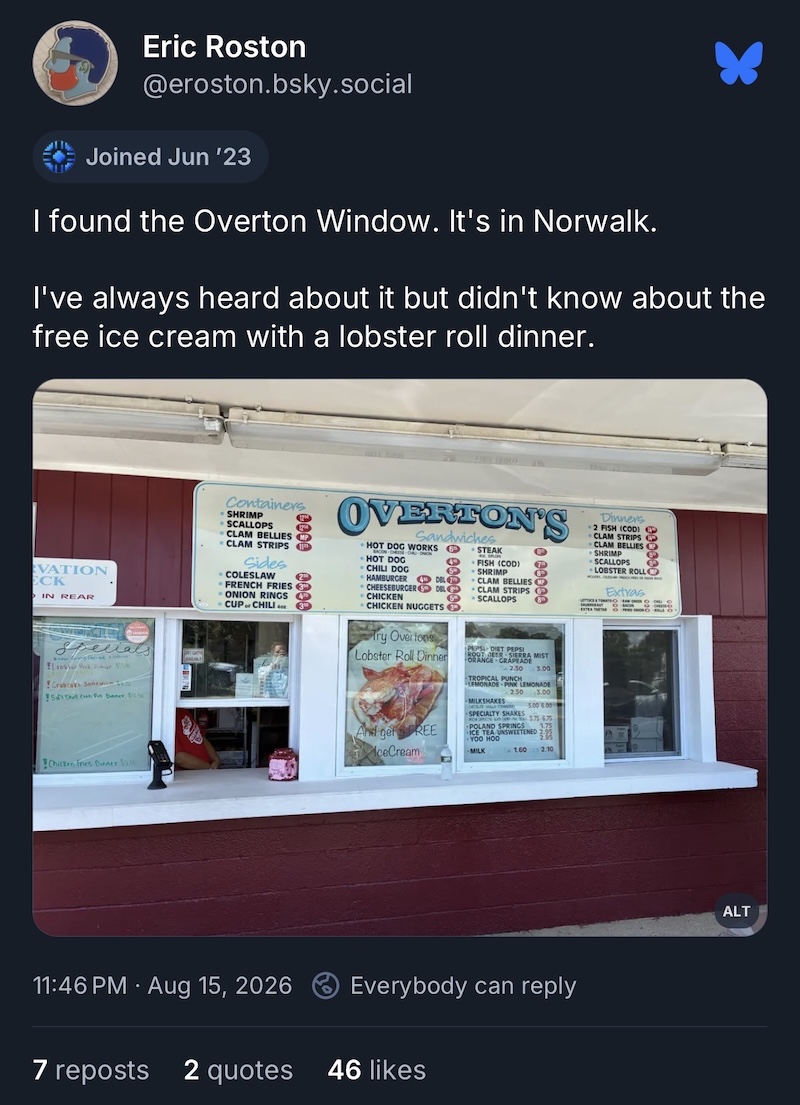
Original, if you want to reskeet it
I noticed the Bluesky logo in the right corner and thought that it was weird that the logo doesn’t bother me when I use the app. Then I looked at the post in the app again—logo wasn’t there, replaced by the “Follow” button.
I remembered that a few apps hide their logo where the iPhone notch is, so that it doesn’t stick out, unless you take a screenshot. But here the logo is placed in the open, so how do they do it?
I tried to take another screenshot, this time mid-switching to the other app:
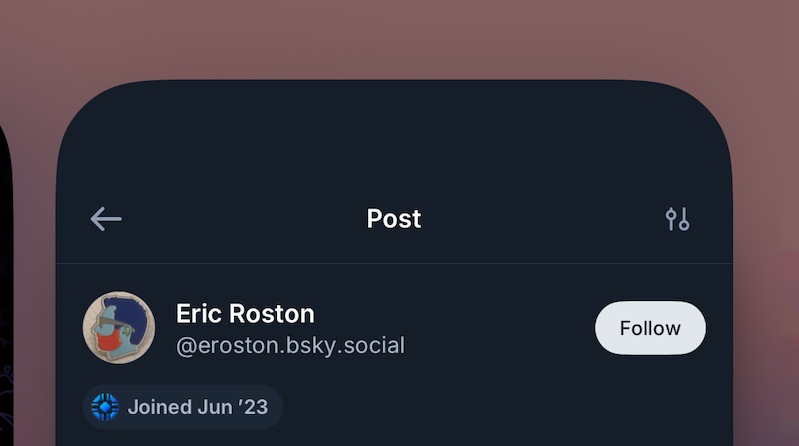
The “Follow” button is visible when I take the screenshot mid-switch.
Did they somehow set up a listener for two buttons I’m pressing to take a screenshot and do a switcheroo at the last moment? I’m not an iOS developer, so I’m not sure what’s possible and what is not over there.
At this point I was mildly intrigued. Thankfully, I remembered that Bluesky app is open source (or at least the code is available to look at).
The answer was in the file literally called GrowthHack.tsx , introduced in January 2026 by mozzius. But it merely used a dependency, so to understand I looked into package expo-privacy-sensitive, also by them.
The package creates UITextField with isSecureTextEntry property set to true and renders the actual content (the button) into that field’s .layer. When I take the screenshot, iOS hides this UITextField by blanking the layer, allowing the Bluesky logo to flutter its wings through (it was here the whooole time). For other platforms it simply renders content as-is, without masking.
Why doesn’t it work when I switch between the apps? I suppose that iOS takes a snapshot itself at the start of the gesture (without triggering blanking), and when I do a screenshot, there is no live UITextField instance to react to that, only the inert snapshot. But once again, I’m not an iOS developer.
Nifty trick or an abuse of API meant for privacy? The people in the thread adding the behavior mostly didn’t like it, before the thread got locked. I think it’s cute.
I googled a bit, and the trick is well-known. Telegram implemented similar thing for its "secret" chats, as did Signal, so I don’t expect it to be patched by Apple any time soon.
这条对你有帮助吗?