Framework 13 Pro review: Much better battery, much worse price
摘要
这篇评测聚焦 Framework 13 Pro 笔记本的硬件改动,重点介绍了其从 DDR5 SO - DIMM 转向 LPCAMM2 内存模块的设计:单条模块通过螺丝压缩固定,铜触点与主板间有 interposer,金属屏蔽罩兼作散热和 EMI 屏蔽,并宣称改善了无线性能。内存采用 LPDDR5X,低功耗特性是电池续航提升的因素之一。同时列出官方支持的 Linux 发行版(Ubuntu 24.04、26.04 LTS、Fedora 44)及社区兼容发行版(CachyOS、Bazzite、Arch、NixOS 26.05),要求内核至少 6.19 以支持 Intel Core Ultra Series 3,推荐 7.0 以上。标题提到电池更好但价格更差,但正文摘录未涉及具体电池数据或价格细节。
荐读理由
LPCAMM2 内存模块的物理设计、屏蔽与散热机制,以及 Linux 内核版本要求,属于可迁移的硬件工程知识,但评测摘录未提供电池和价格数据,且与 AI 工程关联较弱,仅间接支持判断。
原文
Apart from Ubuntu 24.04, Framework says that Ubuntu 26.04 LTS and Fedora 44 are officially supported and should work out of the box, while CachyOS, Bazzite, Arch, and NixOS 26.05 are all “compatible community supported distributions” that will generally work fine with a little extra tweaking. Any distribution you run should include at least Linux kernel version 6.19 to ensure working support for Intel’s Core Ultra Series 3 chips and the rest of Framework’s hardware; kernel 7.0 or higher is recommended.
The agony and the ecstasy of LPCAMM memory modules
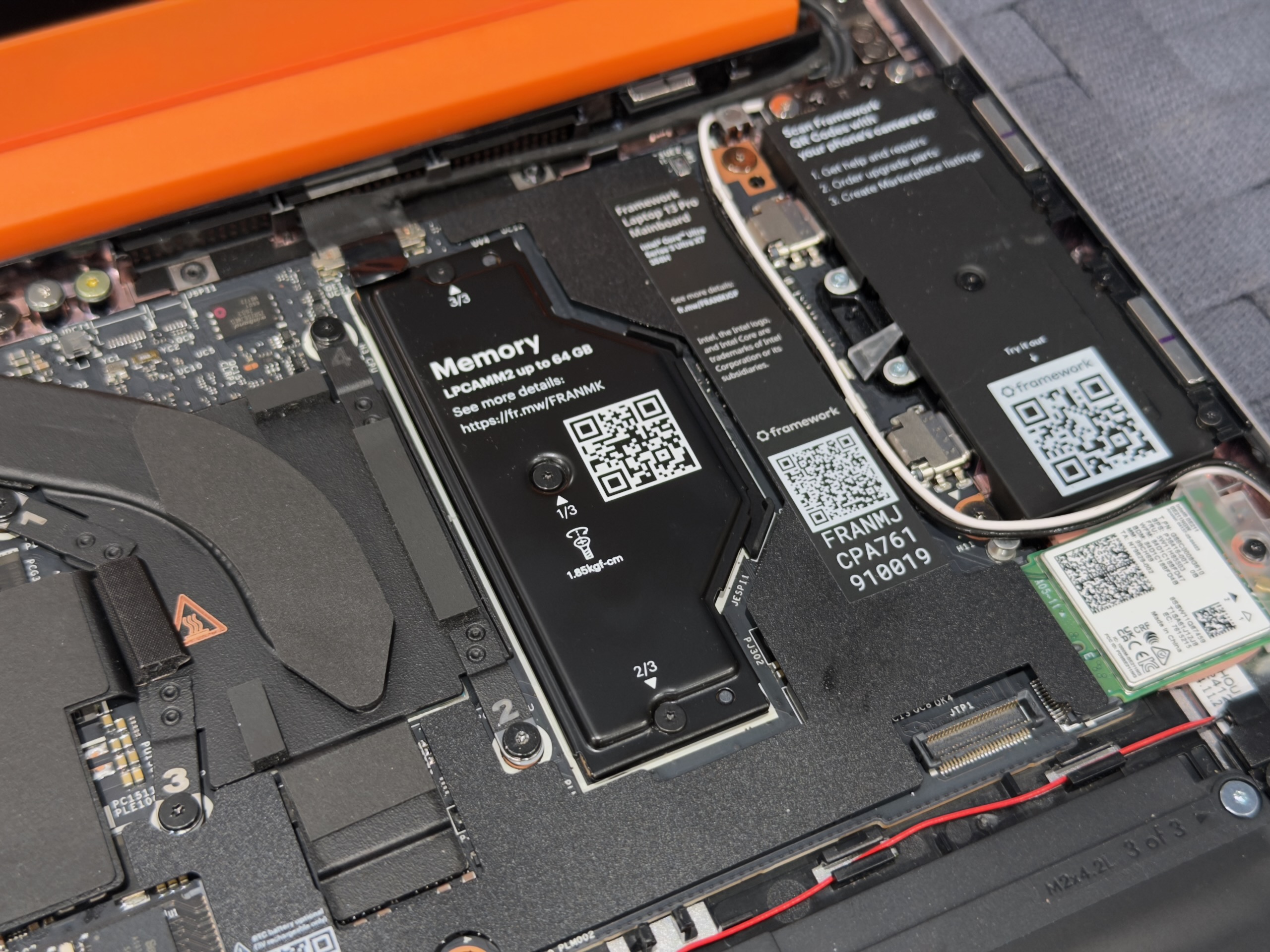
The single LPCAMM2 memory module is located beneath a metal panel that also works as a heat spreader and EMI shield.
Andrew Cunningham
The single LPCAMM2 memory module is located beneath a metal panel that also works as a heat spreader and EMI shield. Andrew Cunningham
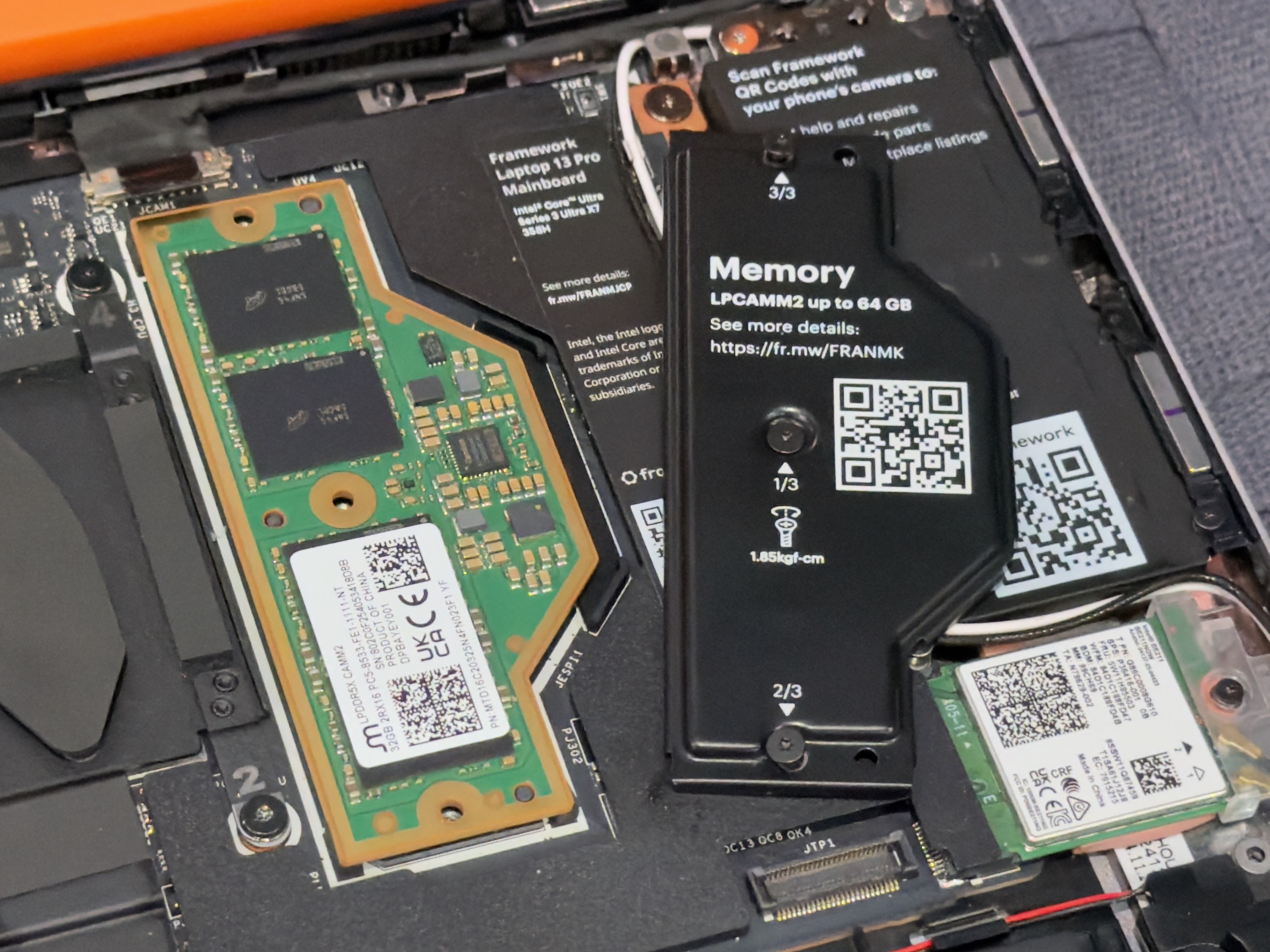
The module is held in place with compression from three screws rather than a slot and retention clips.
Andrew Cunningham
The module is held in place with compression from three screws rather than a slot and retention clips. Andrew Cunningham
The single LPCAMM2 memory module is located beneath a metal panel that also works as a heat spreader and EMI shield. Andrew Cunningham
The module is held in place with compression from three screws rather than a slot and retention clips. Andrew Cunningham
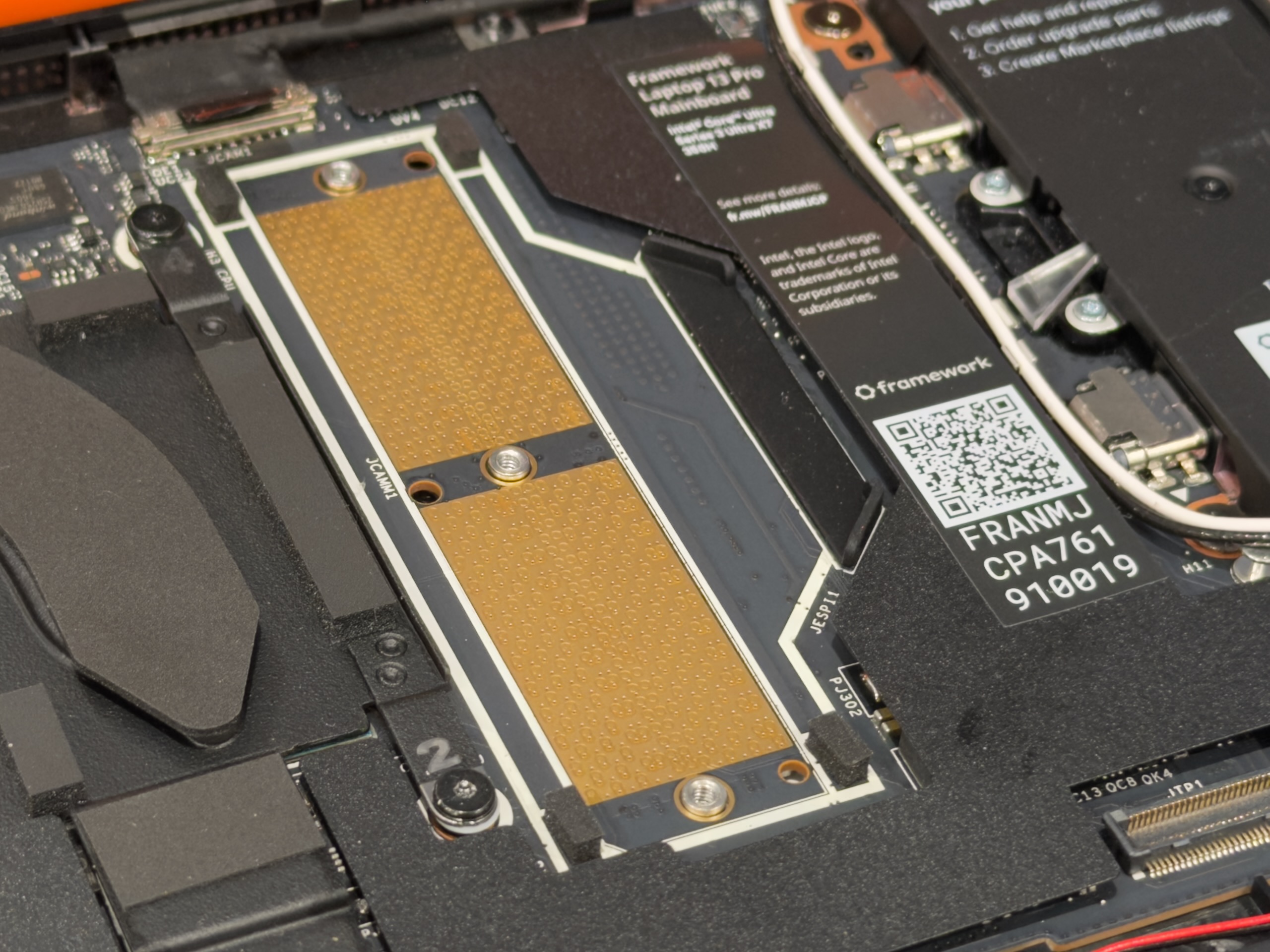
Copper contacts on the motherboard make contact with an interposer, which makes contact with the bottom of the RAM module.
Andrew Cunningham
Copper contacts on the motherboard make contact with an interposer, which makes contact with the bottom of the RAM module. Andrew Cunningham
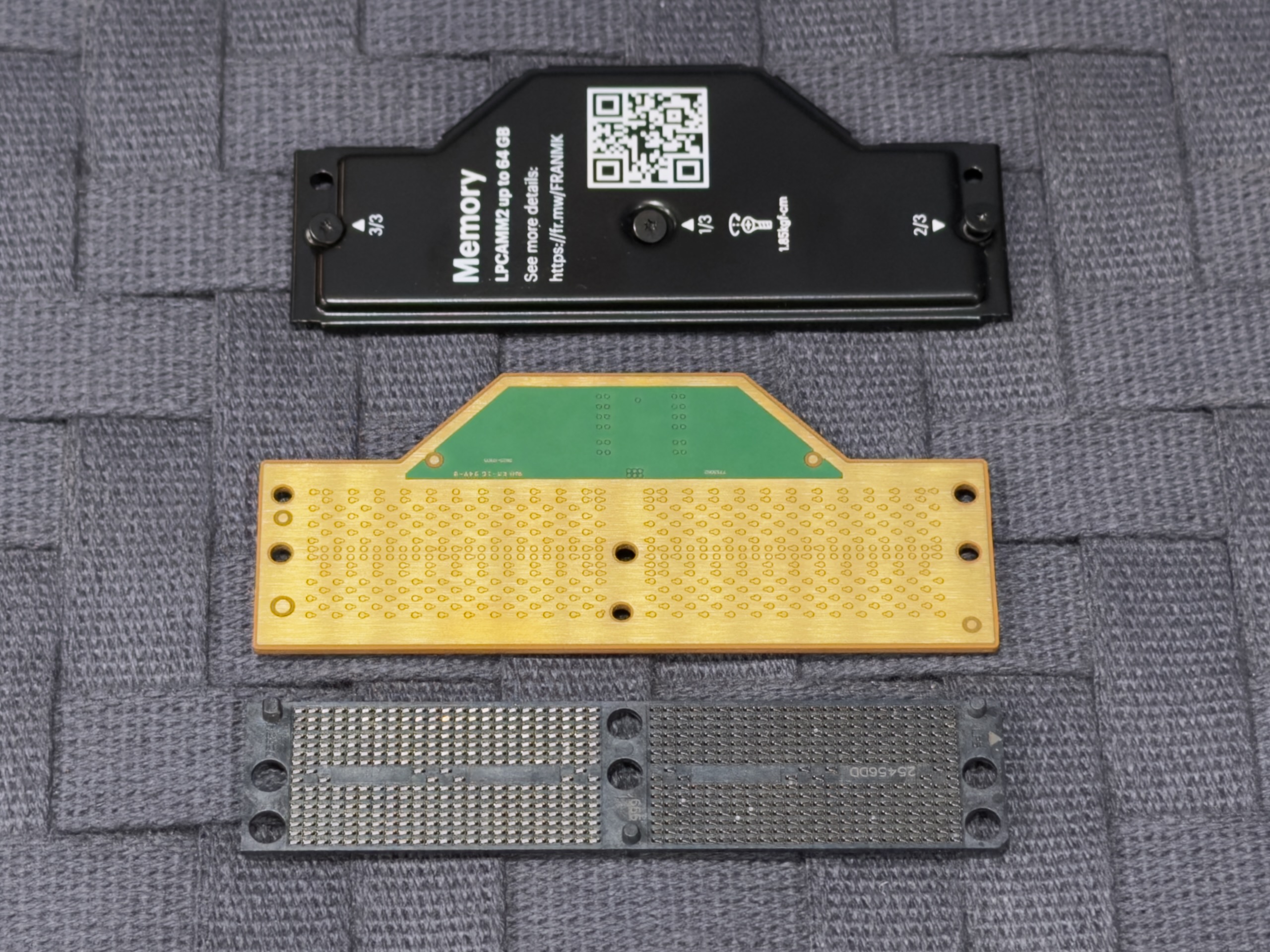
A RAM sandwich: interposer, the rear of the LPCAMM2 module, and the metal shield.
Andrew Cunningham
A RAM sandwich: interposer, the rear of the LPCAMM2 module, and the metal shield. Andrew Cunningham
Copper contacts on the motherboard make contact with an interposer, which makes contact with the bottom of the RAM module. Andrew Cunningham
A RAM sandwich: interposer, the rear of the LPCAMM2 module, and the metal shield. Andrew Cunningham
Another major design change is internal. After a few generations of boards that used DDR5 SO-DIMMs, the Core Ultra Series 3 board has switched to LPDDR5X memory in the LPCAMM2 form factor.
If you haven’t heard of LPCAMM2 before, here are the basics: CAMM stands for Compression-Attached Memory Module. Where SO-DIMMs have copper contacts across the bottom edge that go into a slot, CAMM has copper contacts spread across one entire side. The RAM and a small piece of aluminum are both held in place with screws that press the RAM module’s copper contacts down against contacts on the motherboard; the metal piece works as both a heat spreader and shielding that protects the rest of the components from electromagnetic interference. (Framework’s blog says the shielding contributes to a major improvement in wireless performance for the Laptop 13 Pro). The Laptop 13 Pro uses just a single LPCAMM2 module; there’s no need to use matched pairs of RAM modules to get dual-channel memory speeds, as you have to do with DDR4 or DDR5 DIMMs and SO-DIMMs.
The shift to LPCAMM2 comes with real benefits; the “LP” in both LPCAMM2 and LPDDR5X stands for “low-power,” making the RAM change one of several factors contributing to improved battery life in the Laptop 13 Pro. LPDDR5X also supports higher memory speeds than regular DDR5 SO-DIMMs do (though it’s still apparently easier to support faster speeds with soldered-down, non-upgradeable memory).
这条对你有帮助吗?