Building an Open-Source Robot Vacuum — Meet oomwoo
摘要
文章宣布启动一个名为 oomwoo 的开源家用机器人吸尘器项目,特点是硬件、固件、软件全开放,并公开构建过程。该吸尘器使用低成本 2D 激光雷达进行建图与自主导航(基于 ROS 2/Nav2),本地运行,无需云服务,原生集成 Home Assistant。机身可 3D 打印,提供完整的物料清单与分步构建指南。项目目前处于早期阶段(v0 里程碑),包含 3D 打印底盘、ROS 2 Gazebo 仿真、手动 SLAM 等,最终架构可能在树莓派 5 和/或 ESP32 上运行。项目采用模块化设计,鼓励社区并行参与,已列出可立即开始的模块(如仿真、首次清扫、尘盒设计、风机组件)。作者会通过 GitHub、Discord、YouTube 等渠道分享进展,并计划提供可选零件套件以方便采购。
荐读理由
你可以借鉴其模块化并行开发的组织方式,将复杂硬件项目拆分为独立模块,让社区协作推进,这套方法可直接迁移到你的AI硬件产品开发中。
原文
Today I’m kicking off my most ambitious Maker’s Pet project yet: oomwoo, an open-source home robot vacuum that you can build yourself. Open hardware, open firmware, open software — and built in public, from the first commit.
No cloud required. No vendor lock-in. It maps your home with an affordable 2D LiDAR and navigates on its own, runs locally, and integrates natively with Home Assistant. If you’re into Raspberry Pi, ROS 2, 3D printing, or just the idea of owning a vacuum you fully understand and control — this one’s for you.
About the name: “oomwoo” is a rotational ambigram — it reads the same flipped 180°, just like the robot itself roaming your floor in every direction.
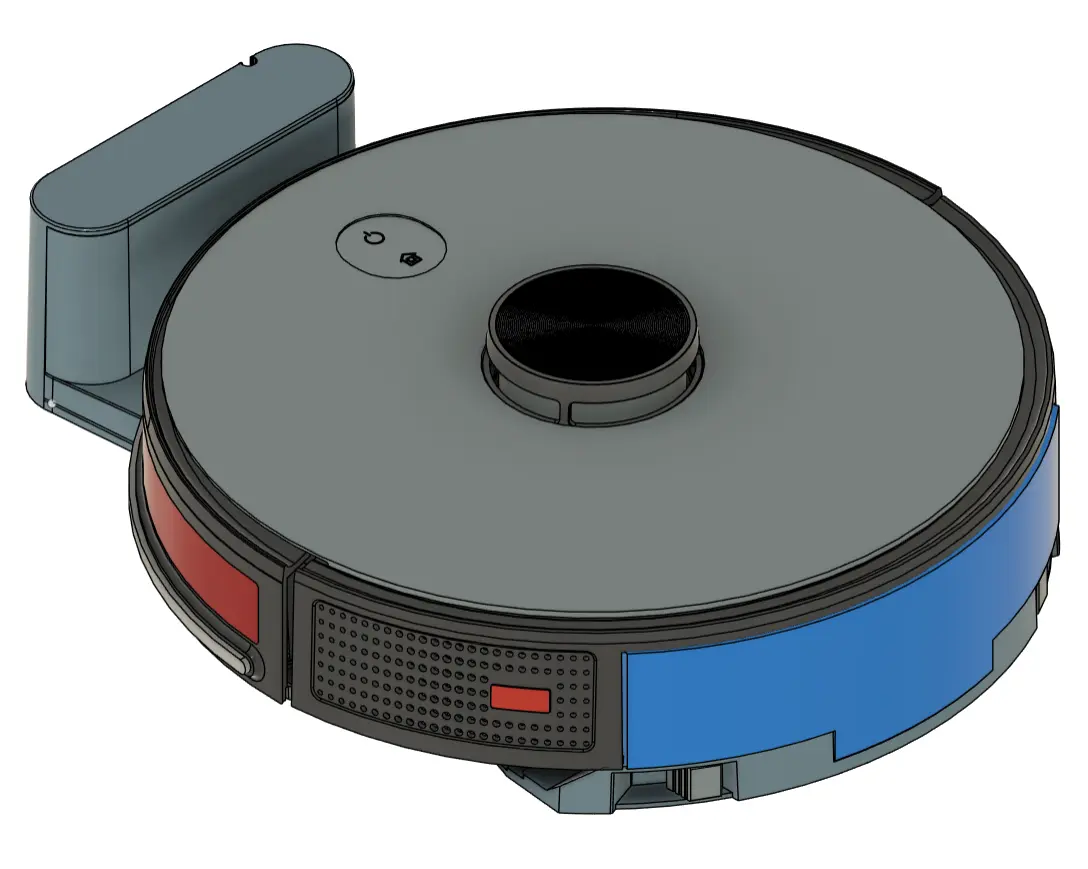
Reference design — roughly how the finished oomwoo will look.
What oomwoo is
oomwoo is a build-it-yourself robot vacuum designed for the maker community:
Affordable and fully open — hardware, software, and firmware
2D LiDAR mapping and autonomous navigation with ROS 2 / Nav2
Native Home Assistant integration for local control
3D-printable, documented, hackable chassis
Local-first — no cloud needed for everyday cleaning, ever
Home-appliance quality — not a throwaway build
Step-by-step, zero-to-hero build instructions, with a complete bill of materials so you can source every part yourself
Optional extras — cloud features, and eventually an app store of ROS 2 apps to customize how your vacuum behaves — will layer on top. But the core promise never changes: the vacuum always works cloud-free and local, out of the box.
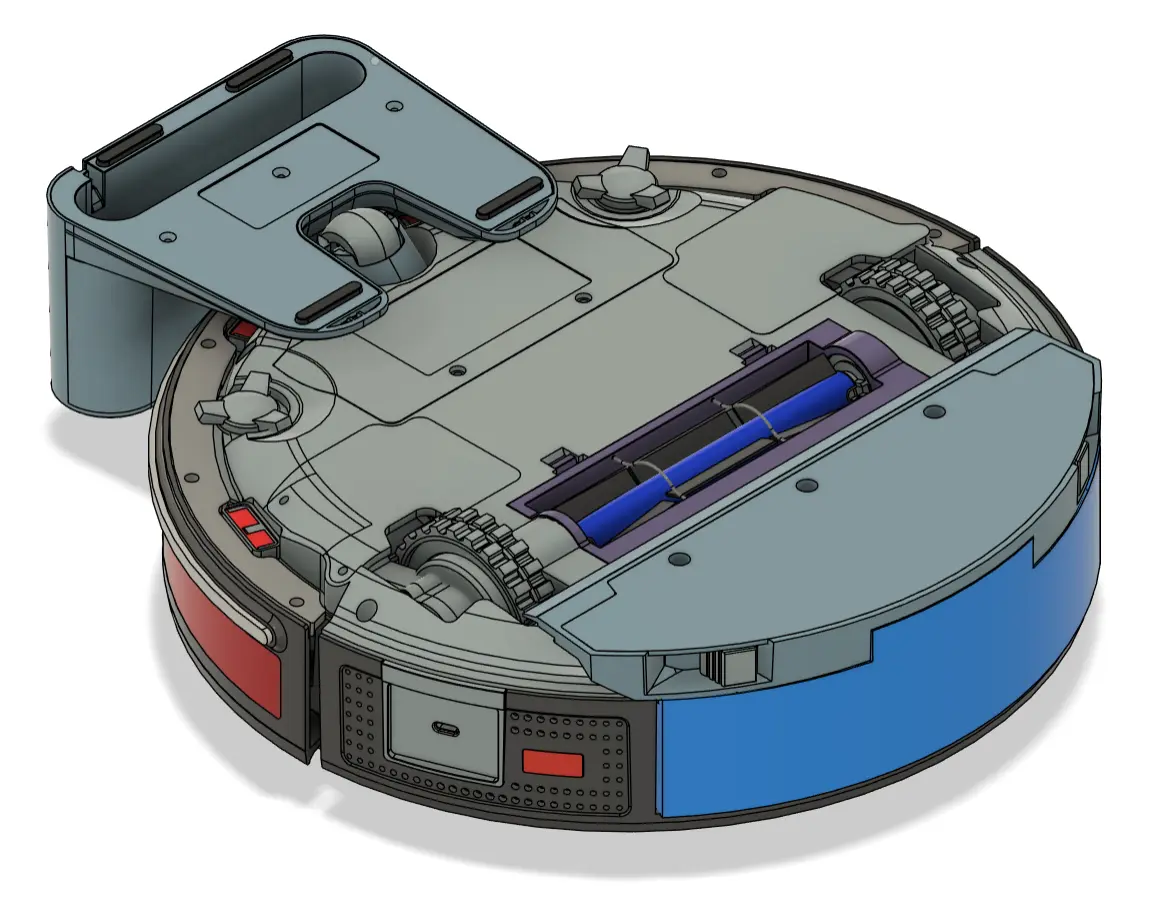
Where the project is today
This is genuinely early — and that’s the point of building in public. The first milestone (v0) is a bare-bones, working build:
3D-printed chassis
ROS 2 Gazebo simulation
LiDAR with manual SLAM
ROS 2 on a Raspberry Pi 5 and/or ESP32 running micro-ROS (final architecture still being decided)
The open-source deliverables I’m working toward: bill of materials, 3D-printable files, ROS 2 packages, firmware, a motor-driver and sensor PCB, full build / bringup / troubleshooting docs, and demo videos.
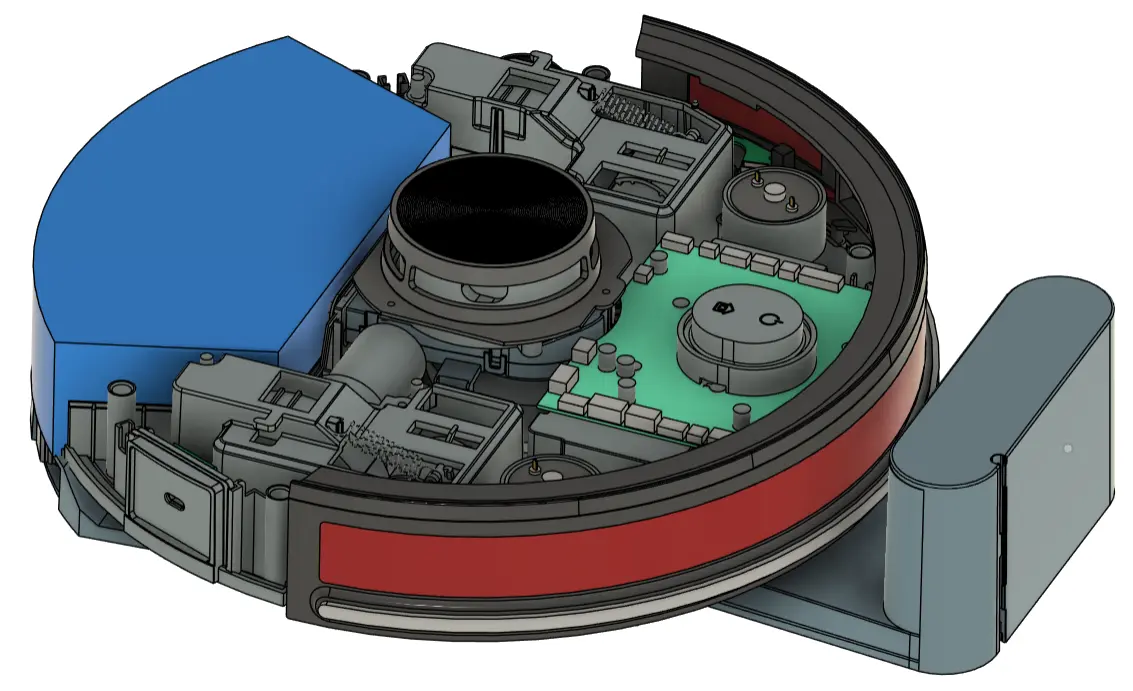
Top cover removed — a peek at the internal layout.
Build it with me — massively in parallel
oomwoo is organized so the community can build it in parallel. The robot and its software are split into self-contained modules. You pick whatever module interests you, work on it whenever you want, and submit your work as a pull request. Multiple people can tackle the same module — the best solution surfaces over time.
Modules ready to start right now include:
ROS 2 URDF + Gazebo simulation — robot model, TF, bumper, sim
First clean — coverage cleaning while SLAM-mapping and exploring
Dust bin — design, 3D print, and test
Vacuum fan / blower assembly — blower motor, impeller, volute housing
If you’d like to jump in, the GitHub repo has the module list, the architecture doc, and contribution guidelines.
Follow along
I’ll be sharing progress, dead ends, and wins as they happen:
GitHub: github.com/makerspet/oomwoo — code, docs, and discussions
Discord: join the build chat
YouTube: build-in-public channel
Reddit: r/ArduinoAndRobotics
X: @0OMWO0
Follow oomwoo build
Open-source robot vacuum community build updates
Parts Kit
Everything about oomwoo stays open — you can source every part yourself. If you’d rather skip the parts hunt, a convenience kit (motors, PCB, brushes, gaskets, LiDAR) will be available here at Maker’s Pet, from the same maker behind this project. The kit is a convenience, never a requirement.
这条对你有帮助吗?